 ReadyEddy
ReadyEddy
ReadyEddy
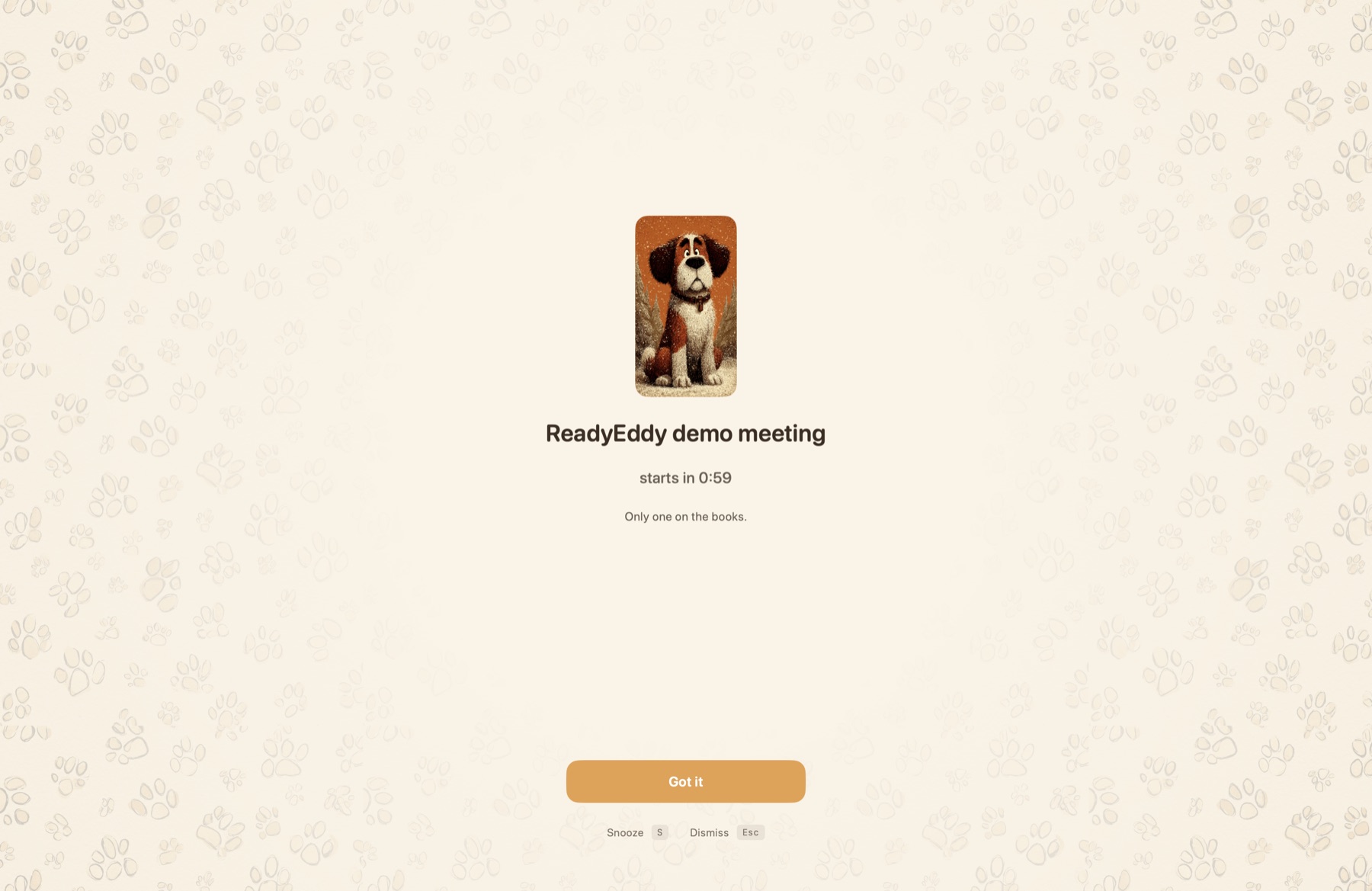
Eddy makes sure you’re on time. A minute before any meeting on your calendar, he finds you, takes over your screen, and walks you straight to it. Unmissable, but warm — never shouty.
macOS 14+ · Apple Silicon · 14-day free trial · Family Sharing

The problem
Notifications you swat. Meetings you miss. The head-down moment is exactly when a banner fails.
How it works
Through EventKit, the same way Calendar.app does. iCloud, Google, Exchange, Outlook — whichever sources you’ve already wired into your Mac.
One minute before your meeting, Eddy takes over the screen on every display you’re using — full-screen Spaces included. Calm, not loud.
Return joins. Zoom, Meet, Teams, Webex, phone, or a plain URL — Eddy figures out where the meeting lives and opens it for you.
Pricing
Same Eddy on every plan. Family Sharing on every plan. Cancel anytime. 14-day free trial — no card up front.
Monthly
$2.99
per month
Try it without commitment.
Annual
$19.99
per year
Roughly two months free vs. monthly.
Lifetime
$59.99
once — never expires
Own it. Comes with you to every Mac you sign in with.
Family Sharing on every plan — one purchase covers up to six people in your iCloud family. All billing handled by Apple.
Why it’s calm
A reminder is most useful at exactly the moment you’d normally miss one. ReadyEddy meets you there — without competing for your attention the rest of the time.
The takeover covers every screen, including full-screen apps and Spaces. A reminder that lives only on your secondary display isn’t a reminder.
Eddy is a rescue dog: he found you before you were late. That’s the feeling we’re building toward. No streaks, no guilt, no shouty mascot.
Snooze re-fires in a minute. Dismiss never re-fires. Joined late? Eddy notices and stays quiet — no double-tap of pain.
Privacy
Requirements & download
macOS 14+ · Apple Silicon · Family Sharing on every plan
FAQ
If you’ve added your Google account to macOS Calendar (System Settings → Internet Accounts), then yes. ReadyEddy reads through EventKit, which sees every calendar source Calendar.app sees — iCloud, Google, Exchange, Outlook, anything else you’ve wired in.
Nowhere. ReadyEddy reads your calendar locally through EventKit and never sends it anywhere. There’s no backend, no analytics, no third-party SDKs. The App Store listing carries the Data Not Collected privacy label as a result.
The takeover is built to cover full-screen apps and Spaces. Eddy renders at a window level that sits above full-screen contexts, so a meeting you’re already in won’t hide the one that’s starting in five minutes.
Yes. S snoozes for about a minute — Eddy comes back. Esc dismisses and never re-fires. Joined late within five minutes? Eddy notices and stays quiet. He doesn’t pile on.
Yes. ReadyEddy is distributed through the Mac App Store. The takeover still covers full-screen Spaces, full-screen Keynote, full-screen Zoom — the entire reason it earns its existence. App Store handles updates, billing, and Family Sharing for you.
Yes — three plans, all with a 14-day free trial:
· $2.99/month — cancel anytime
· $19.99/year — roughly two months free vs. monthly
· $59.99 once — lifetime, never expires
Every plan supports Family Sharing, so one purchase covers up to six people in your iCloud family. All billing handled by Apple — cancel from System Settings → Apple ID → Subscriptions.
Yes — every plan (monthly, annual, lifetime) is Family Sharing-enabled. Set up Family Sharing in System Settings → Family, and ReadyEddy automatically appears in “Purchase Sharing” for everyone in your family group (up to six people).